@ Colossyan
Real-time Conversational Avatars with Interactive Visuals
Helping launch a new product category around real-time AI avatars and interactive video.
Role
Staff Product Designer
Years
2024 — 2025
Company
Colossyan
Overview
At Colossyan I led a new product initiative — green-lit after presenting my market research and product pitch to the CEO — around real-time lifelike AI avatars that can visualise information as they speak. Essentially real-time presentation generation: instead of chatting with an LLM, there's a face that presents the answer naturally, like a person would.
What I brought
01
Innovation
I pushed above my responsibilities and pitched a brand-new product to the founder based on my own market research. It was green-lit.
02
Customization
I went beyond expectations, designing simple, easy-to-use customisation for interactive elements embedded in video.
03
Componentization
I regularly proposed and introduced new design components on our weekly design-system review meeting.
How it works
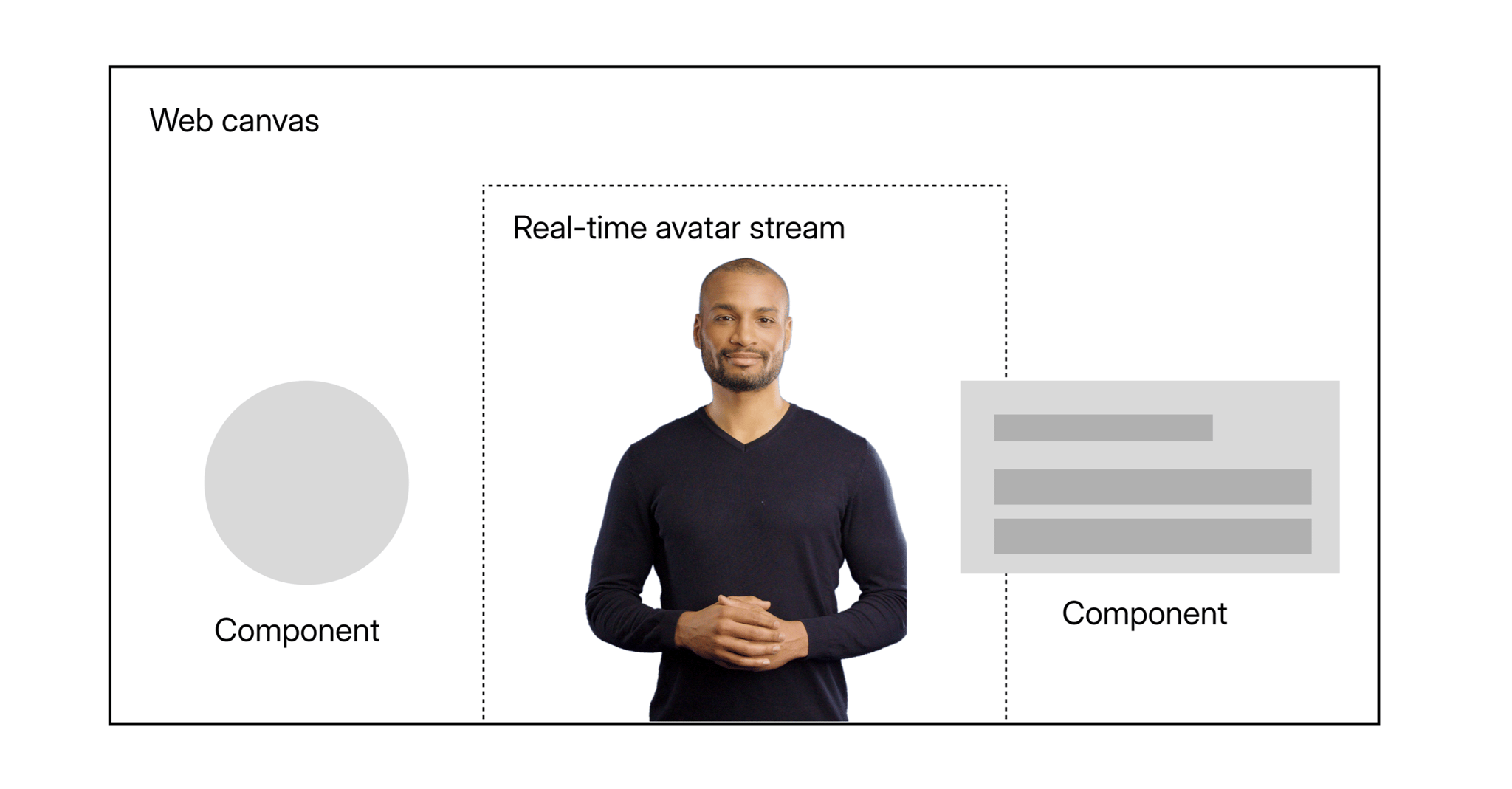
A web canvas layered on a real-time avatar
In the background there's a real-time stream of the realistic AI avatar, combined with a web canvas rendered on top of it. This canvas visualises information using pre-built web components — lists, topics, images with title and description, links, and charts.
They can also be interactive, letting you click a topic to hear more about it or visit a link that was just presented.
Process
Making information feel alive around a human presenter
The most exciting part of the project was figuring out how information should be visualised when there's a ‘human’ presenter involved. Topics are placed around the presenter in circular bubbles — some can even go partially behind the presenter, without hiding information, to emphasise that they exist in space.
They're clickable to advance the conversation, and have wobble physics so they gently move as you glide your cursor over them. This makes information a living, interactive part of the whole experience.
Interactive bubbles shown around the virtual presenter.
The AI presenter moves aside — in real-time — to make room for the content. List items and speech are generated together by an LLM.
AI-Based Doc 2 Video
Turn a prompt or a document into a video
A separate project let users create videos with AI. You could prompt the LLM with what to create, or upload a document as the source material, and add interactive elements like quizzes and branching along the way.
The final outcome — upload or prompt to create your ideal video.
First Iteration
One interface for every path — that didn't work
The initial idea was to combine every video-creation path into a single interface. You could upload a file, prompt the LLM, or write an exact script — all from one screen.
After a round of user tests we realised this segmentation actually made things harder: users struggled to find the correct tab for their use case.
The initial prototype we tested.
Template chooser
Sorting, previews, and useful waiting time
The next step after specifying what to create was choosing a template that defined the look of the video. I reworked the template selector and introduced sorting options based on the characteristics users cared about most, taken straight from our metrics.
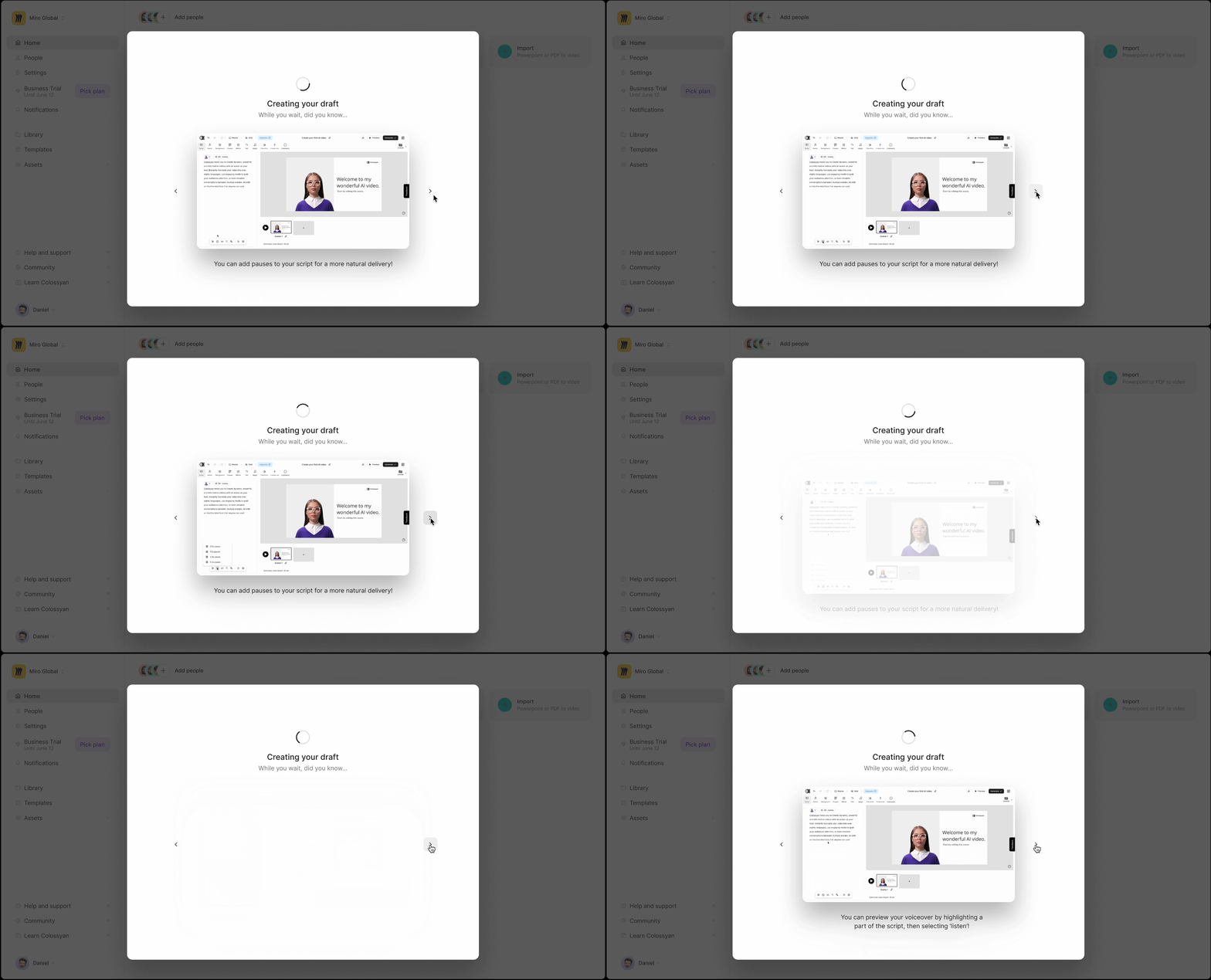
The generation itself took a while — so I turned the loading screen into a tips-and-tricks slideshow that surfaces useful hints in video format, prioritising the tips that drive our activation metric.
The reworked template chooser.
Loading screen showing tips based on activation metrics.
Experimental rework
Parameters instead of templates
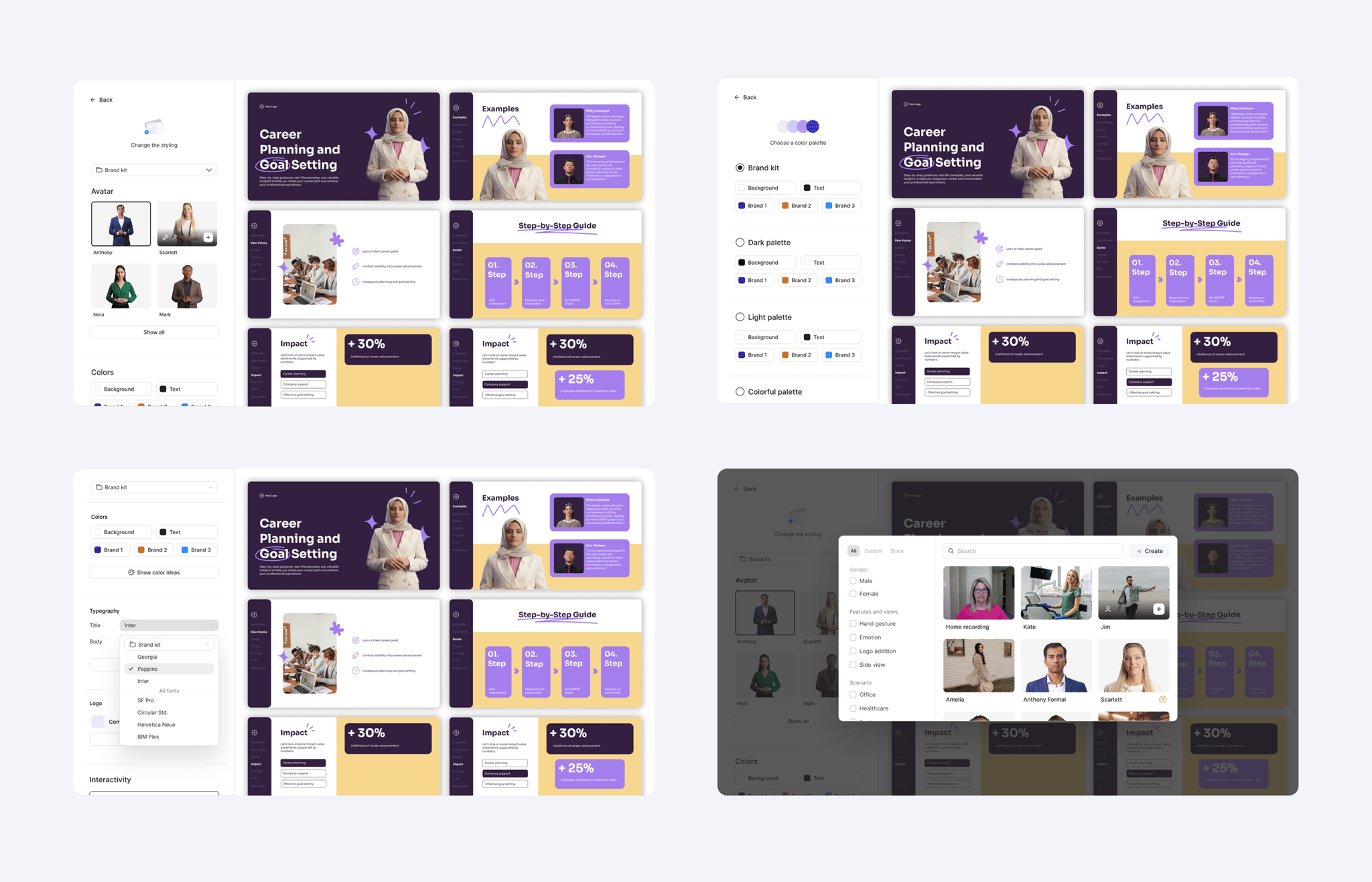
I also experimented with a deeper rework of the video-creation flow, where instead of picking templates users would define the look through parameters — avatar, fonts, colour palette — with a live preview on the right side.
The project was scope-cut, but I hope to see it revived at a later date.
Parameter-based rework with a real-time preview.
Interactive Component Customization
Style quizzes and branching to match any brand
This project let users style interactive components — branching, quizzes — to match their brand. Since our users aren't designers, I simplified the styling process as much as possible by adding automation rules that figure out the fiddly details for you.
The final outcome — just a few settings to customise the whole component.
Process
From detailed accordion to a one-click brand kit
I initially assumed users wanted detailed customization, and built an accordion-style layout where they could click on any element on the canvas and configure it in every possible way.
User testing and intel from corporate clients told a different story: all they really wanted was to apply their brand kit — quickly. That insight came late, but it taught me how fast a customization feature spirals in complexity and what parts must be automated.
The accordion-style layout with detailed customization options.
Documentation
Two fonts, three colours, one smart apply
After that prototype I defined the characteristics that make up a brand look and documented how to automate them. With two font types and three colours the whole component can be styled — hover states are derived from the base colour, and a smart-apply button figures out which colours work best for the background and CTA in a single click.
I also coded a working prototype to show the logic in action.
Avatar Page
A calmer, more focused library
A redesign of the avatar library on the home dashboard, with easily hide-able filtering options so the grid stays the star.
Create Your Own Avatar
An avatar that looks like you
A project to let users create an avatar based on themselves — from a few uploaded photos to a lifelike presenter ready to speak in real-time.
Create-your-own-avatar exploration.
Team
The people behind it
Project Manager
David Gilham
Tech Lead
Patrik Szabo
Staff Product Designer
Armin Jamak
Additional Research
Eva Muck
